


For SONY XAV-V630BT 6.2" Car Stereo Touch Screen Digitizer Replacement
For SONY XAV-V630BT 6.2" Car Stereo Touch Screen Digitizer Replacement
For SONY XAV-V630BT 6.2" Car Stereo Touch Screen Digitizer Replacement
⚠️ IMPORTANT: NOT A COMPLETE DEVICE
🚫 Please Note: This listing is for the Outer Touch Screen Glass Digitizer ONLY.
🚫 NOT a complete car stereo unit. It does not include the internal LCD display, motherboard, or housing.
This is a replacement component used for Repairing/Replacing old, broken, cracked, damaged, or faulty touch screens.
Specifications
| Compatible Brand | For SONY |
| Model Number | XAV-V630BT |
| Type | Touch Only, No LCD |
| Device Type | Car Stereo / Car Radio |
| Screen Size | 6.2 Inch |
| Origin | China |
Key Features
- This is a touch screen digitizer ONLY — does NOT include the LCD display.
- Each unit is tested before shipping — 100% working quality guaranteed
- Repair/replace old, broken, cracked, or damaged touch screens
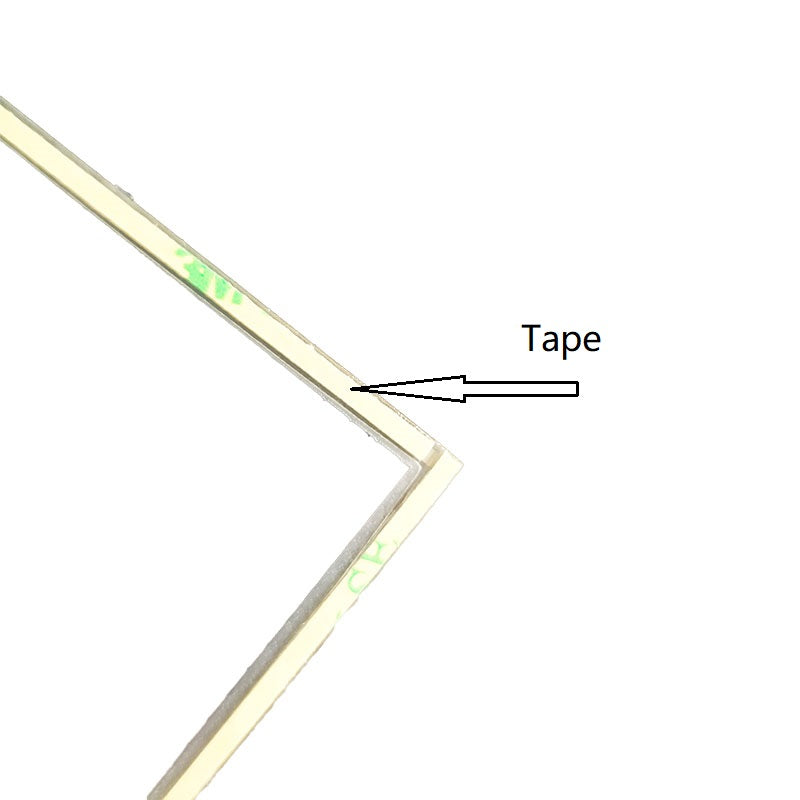
- Pre-applied adhesive tape on the back for easy installation
- Please verify the Part Number on your existing screen before purchasing
Compatible Models
- For SONY XAV-V630BT
Package Includes
- 1 x 6.2" Touch Screen Digitizer (No LCD, with adhesive tape pre-applied on back)
- 📦 Packed in high-density shockproof foam boxes to ensure safe delivery.
Installation Note
Please verify the model number and connector type before purchasing to ensure compatibility. Professional installation is recommended.
⚠️ This is a touch digitizer only. It does NOT include the LCD display.
Couldn't load pickup availability
99 in stock
View full details
Questions & Answers
Have a Question?
-
How do I calibrate the touch points after installation?
If the touch points are slightly offset after replacement, you should perform the built-in Sony calibration:Go to Settings on your head unit.Navigate to General -> Touch Panel Calibration.Follow the on-screen prompts to touch the targets (usually "+" symbols) to align the digitizer with the LCD.